When you create a Moodle account via SRS/AIRS, the system creates a password for you, but it is hidden by security features. You will need to reset the password for your Moodle account via the Moodle system if you want to:
- log in directly to a Moodle site (i.e., a site address like https://moodle.bilkent.edu.tr/YYYY-YYYY-semester, e.g., from the Moodle archive)
- use the Moodle App
To set a new password:
- Open the “Moodle Archive” page: https://tutorial.bilkent.edu.tr/old-moodle-services and select the relevant Moodle service (including the current semester).
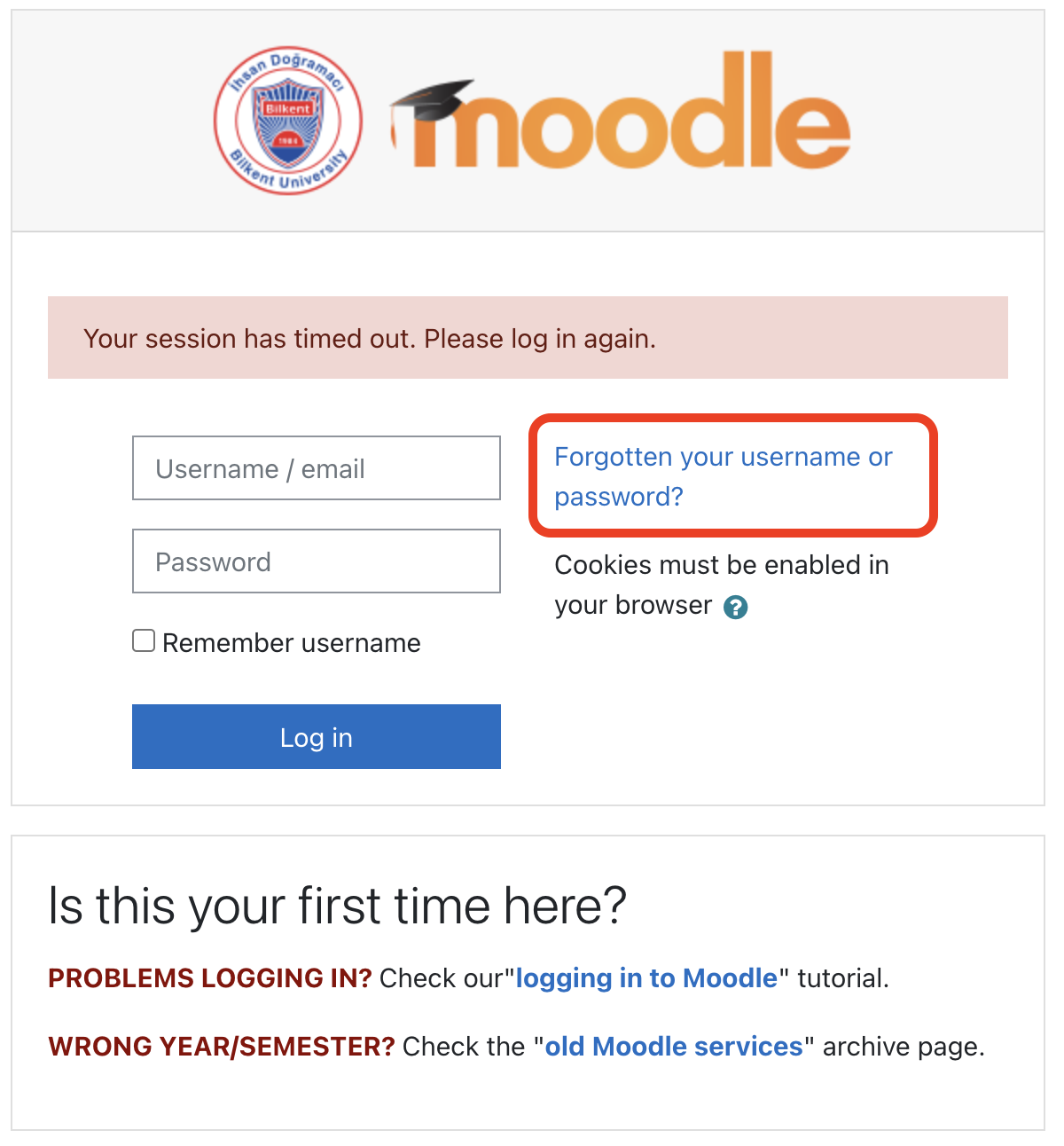
- Click the “Forgotten your username or password?” link:
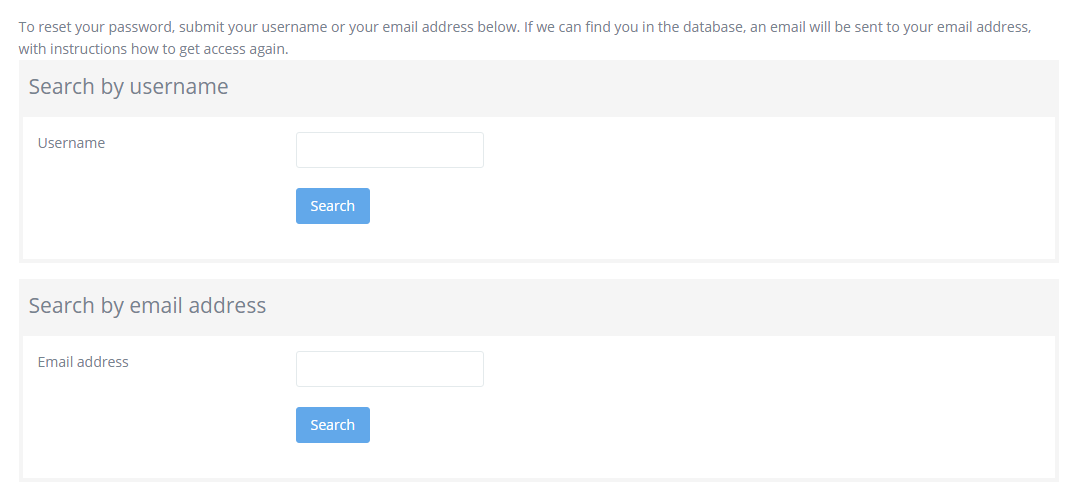
- On the screen that appears, search for your account using:
- EITHER your username (this is your Bilkent personnel number)
- OR the email address registered for you on the AIRS system
This is the confirmation screen:

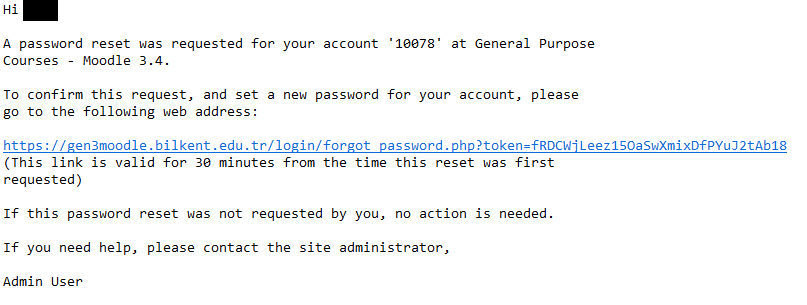
- Open the email sent to you by the system (it will be in the email address you have registered on STARS) and click the password reset link. The link is only valid for 30 minutes. (What if I didn’t receive an email/have no account for this Moodle?)
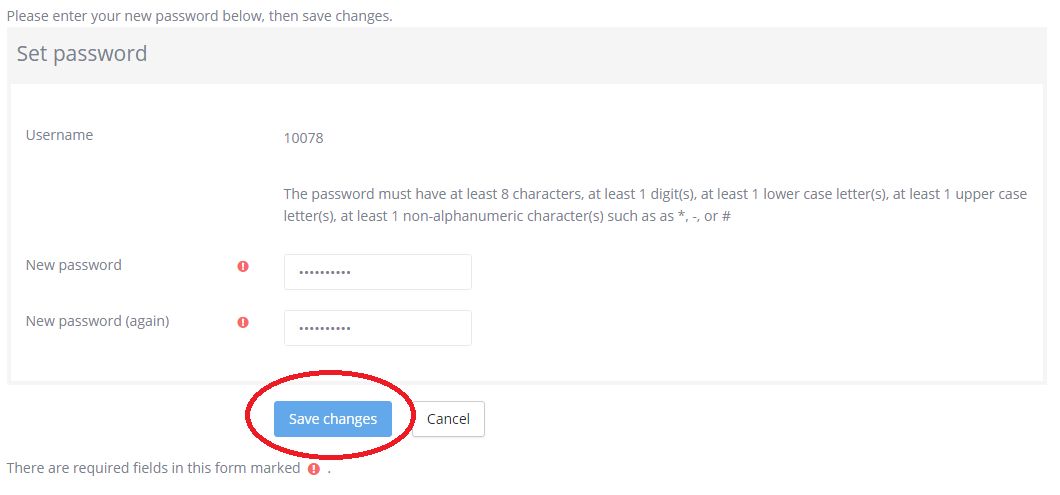
- On the Moodle screen that opens, reset the password and click the “Save Changes” button.
- You will be logged in to the course and receive confirmation that the password was updated.
