To access the current semester Moodle and create courses, you must be registered on STARS as an instructor of a Bilkent course and you must create an account via AIRS/PREP.
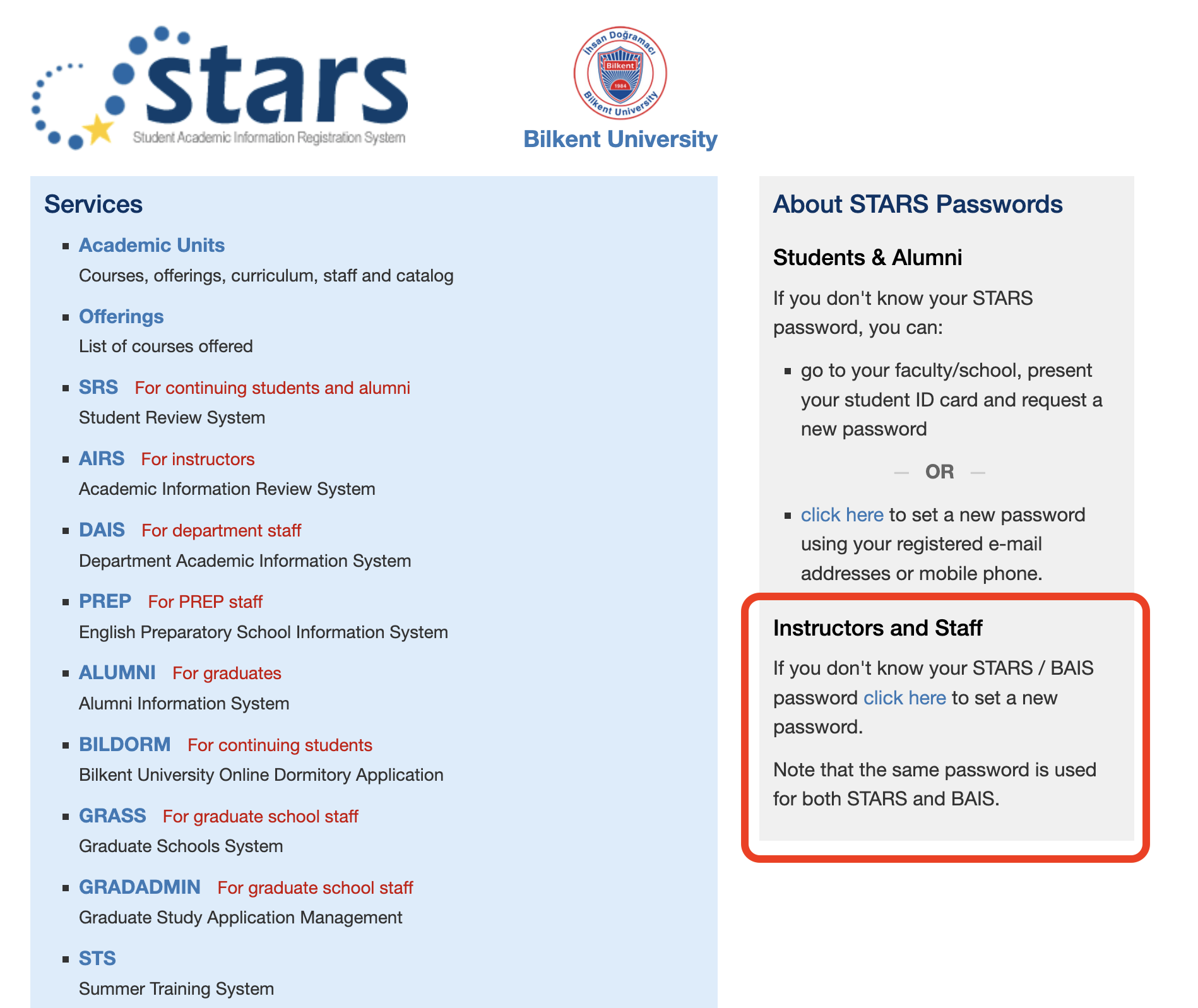
You can access the AIRS/PREP systems for instructors via the STARS webpage.
To set/reset your STARS/BAIS password, use the link to the webform on https://stars.bilkent.edu.tr/. For technical support with STARS pages, email the stars@bilkent.edu.tr helpline.
- Log in to your AIRS/PREP account with your Bilkent personnel number (sicil numara) and AIRS/PREP password
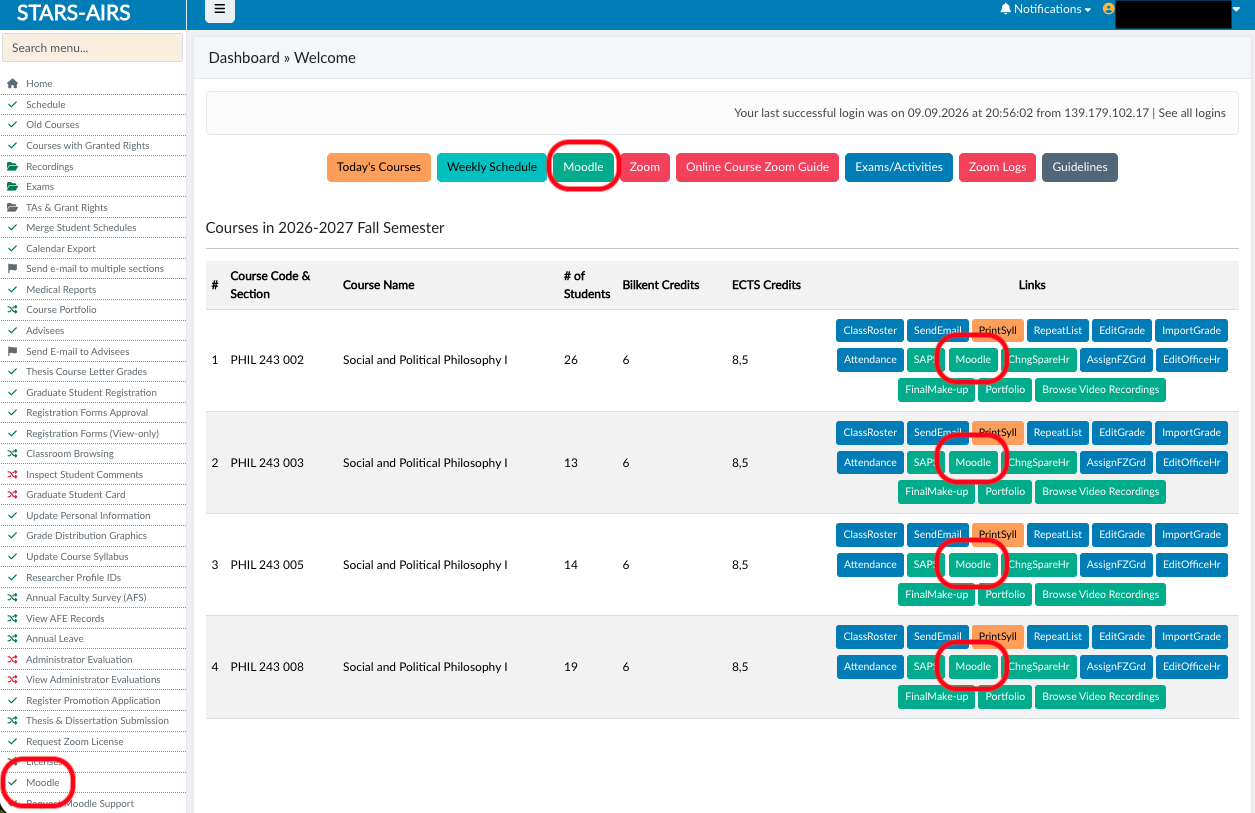
- To access the Moodle interface screen, click any of the following:
- the Green “Moodle” button in the top right of the screen
- the “Moodle” button in each course menu
- the “Moodle” link at the bottom of the left-hand menu
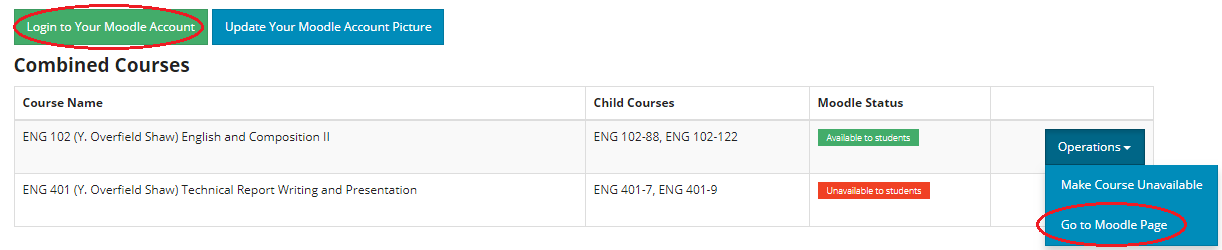
- On the Moodle interface screen which opens, there are two ways to log in:
- Click the green “Login to Your Moodle Account” button in the top left to go to your Moodle account’s dashboard
- Click the “Operations” button next to one of your sections, and choose “Go to Moodle Course Page” from the list of options to go directly to that course
Notes:
When you create your account in AIRS/PREP, your Moodle account is created with the following details:
-
- Your username is the same as your Bilkent ID number; i.e., your student/personnel number.
- Your password is a random one generated the first time you log in to Moodle through AIRS/PREP.
You do not need to know your Moodle password as long as you log in to the Moodle service through AIRS/PREP.
You can also log in to the moodle site directly via the login page, but you will have to reset your password.